
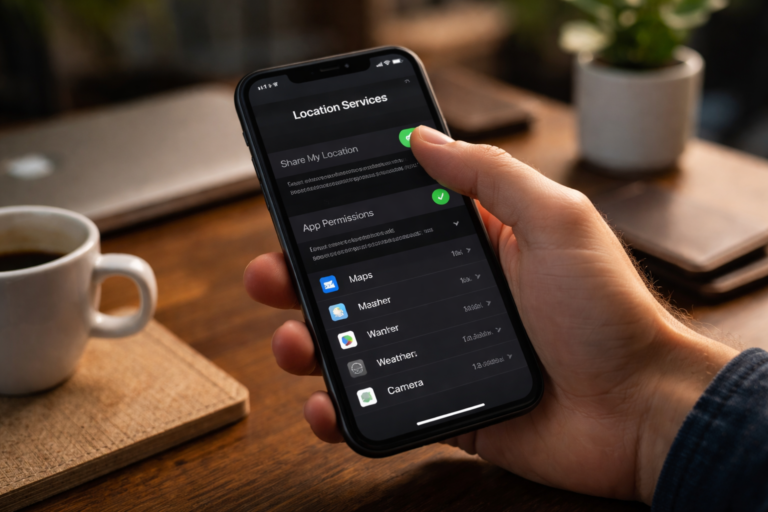
Smartphones are incredibly useful, but many of them start collecting sensitive information the moment you power them on. Most smartphones collect this data by default, but turning it off takes seconds — and a few taps can greatly reduce tracking, targeted ads, and unnecessary data sharing.
Below is a quick guide to what’s commonly collected, why it matters, and exactly how to stop it on both iPhone and Android devices.
What data is commonly collected by default
Modern phones and apps gather a lot of information to improve services or monetize through ads. The most common types collected by default are:
- Location data (GPS, Wi‑Fi, cell tower triangulation)
- Advertising identifiers / app‑tracking identifiers
- Diagnostic and usage data (crash reports, usage patterns)
- Contacts, calendar, and call logs (if apps request permissions)
- Microphone and camera access (when granted)
- Browsing and search history (in browsers and apps)
Each of these can reveal where you live, who you communicate with, what you search for, and even when you’re home or away.
Location data: the most persistent tracker
Location data is especially persistent. Even when you don’t open an app, background location permissions and system services (like Wi‑Fi scanning and Bluetooth) can disclose your movements. Retailers and ad networks use this to build profiles and serve hyper‑local ads.
Advertising ID and app tracking
Both iOS and Android assign advertising IDs to devices so advertisers can track behavior across apps. This is less precise than GPS, but combined with app usage it becomes a powerful profiling tool.
Diagnostics and usage data
Phones often send crash reports and usage statistics back to manufacturers to improve performance. That’s useful, but it can include app usage patterns and other details you might not want shared by default.
Why it matters
Data collection isn’t always malicious — some is used to improve features or provide location‑based services. But default settings often favor data sharing. Consequences include:
- Persistent targeted advertising
- Profile building by third parties
- Potential exposure if a third‑party service is breached
- Loss of privacy and increased digital footprint
The good news: you don’t need to be a privacy expert to reduce most of this. Changing a few settings takes seconds.
How to stop it in seconds
Here are the fastest ways to reduce default data collection on iPhone and Android. Each of these steps can be completed in under a minute.
iPhone (iOS)
- Open Settings → Privacy & Security → Location Services. Turn off Location Services entirely or set permissions to “While Using the App” for individual apps.
- Settings → Privacy & Security → Tracking → Turn off “Allow Apps to Request to Track.” This stops cross‑app advertising tracking.
- Settings → Privacy & Security → Analytics & Improvements → Disable “Share iPhone Analytics” and “Improve Siri & Dictation.”
- Settings → Privacy & Security → Microphone / Camera / Contacts. Revoke access for apps that don’t need it.
- Settings → Privacy & Security → System Services. Disable unnecessary location-based system services like “Location-Based Apple Ads.”
Android (stock/most manufacturers)
- Settings → Location → Toggle off Location to stop GPS and network location immediately.
- Settings → Privacy → Ads → Opt‑out of Ads Personalization (or reset Advertising ID).
- Settings → Privacy → Permission Manager → Review permissions for Location, Camera, Microphone, and Contacts. Set apps to “While using the app” or “Deny.”
- Settings → Google → Usage & Diagnostics → Turn off “Send usage & diagnostics” to stop automatic diagnostics sharing.
- For Samsung: Settings → Biometrics and security → Find My Mobile and other system services: adjust as needed.
Quick tips to protect privacy
- Review permissions right after installing a new app.
- Use “only while using the app” for location instead of “always” when possible.
- Reset your advertising ID periodically.
- Use privacy‑focused browsers or a VPN for extra anonymity.
- Keep your OS and apps updated to get security and privacy improvements.
Bottom line
Most smartphones collect this data by default, but turning it off takes seconds. A handful of quick settings changes—especially around location, ad tracking, and diagnostic sharing—can significantly reduce tracking and restore control over your data. Do the few minutes of work now and your future self will enjoy a lot more privacy.